SuccessFactors Import Error: "FAILURE: Unable to fetch address types" With Okta
Last Updated:
Overview
SuccessFactors Import fails with the following error message:
FAILURE: Unable to fetch address types
Applies To
- Import
- Okta Integration Network (OIE)
- SuccessFactors
- Okta Classic Engine
- Okta Identity Engine (OIE)
Cause
This is due to outdated API Credentials or incorrect API Permissions configured within SuccessFactors.
Solution
-
Review the instructions below, and once completed, re-authenticate the API in the SuccessFactors Okta App.
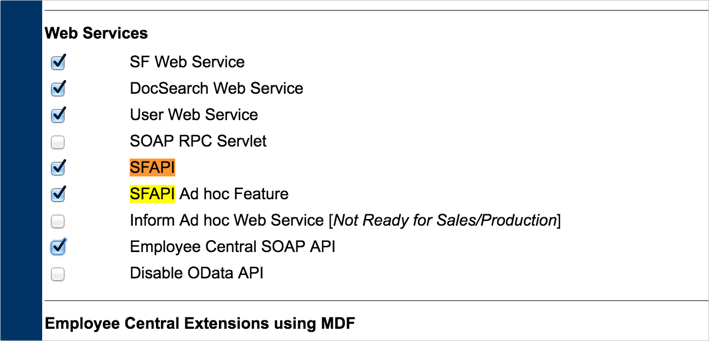
Contact SuccessFactors or the implementation partner to get the SuccessFactors SF API enabled for this tenant. They will need to log in to the Provisioning Access Console > Select the company > Company Settings > Under Web Services, and check the following fields:-
SFAPI
-
Employee Central SOAP API
Other items are checked by default
-
-
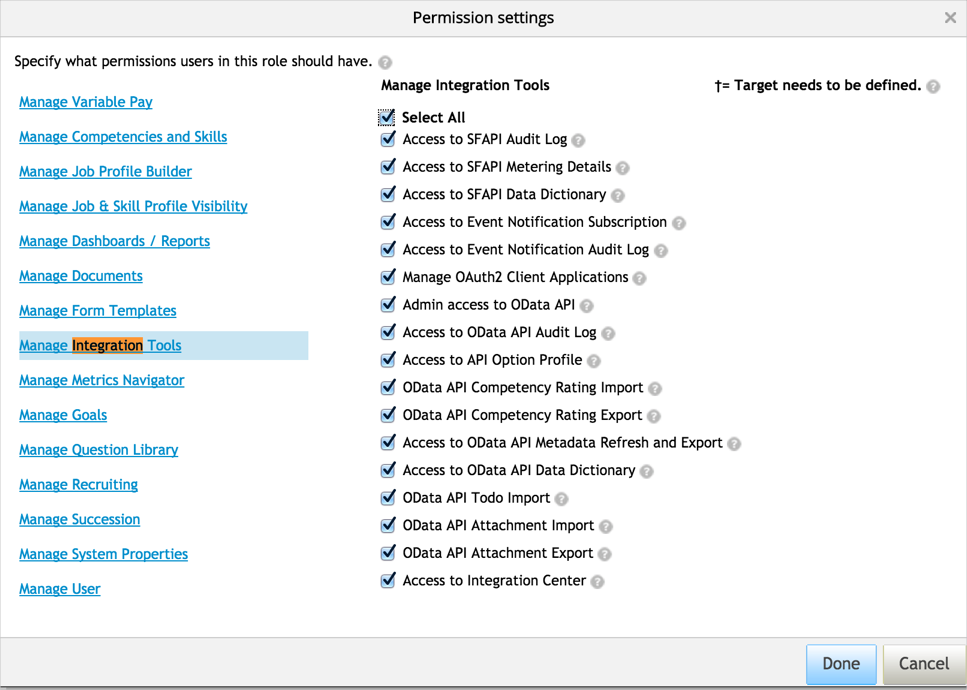
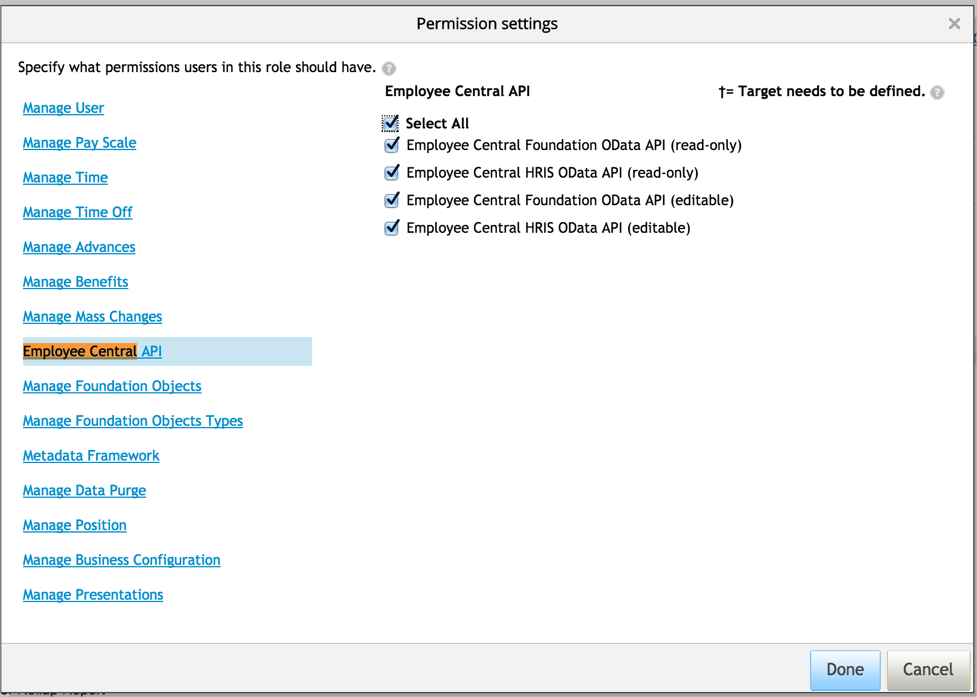
Log in to SuccessFactors tenant as a System Administration, navigate to Manage Permission Roles, and create a new role or ensure that some role has the following permissions:
-
Administrator Permissions > Manage Integration Tools > Select All:
-
Administrator Permissions > Employee Central API > Select All:
-
Ensure that the user assigned for this integration has this role assigned.
-
- If the issue still persists, please ensure that “Picklist Management and Picklists Mapping Set Up” is also included in the permission sets for the account. This can be found by navigating to Admin Center > Manage Permission Roles > Manage System Properties > "Picklist Management and Picklists Mappings Set Up".

