How to Remove All Users from Specific Okta Groups on a Schedule Using Okta Workflows
Last Updated:
Okta Workflows can automate bulk member removal from groups by chaining a scheduled flow with a member-listing helper flow and a removal helper flow. The three flows work together to iterate over a configured list of group IDs, stream each member, and remove them from the group one at a time using the Okta-Remove User from Group card.
How the List Groups Flow Initiates Member Removal
The List groups flow runs on a schedule and kicks off member removal for each group.
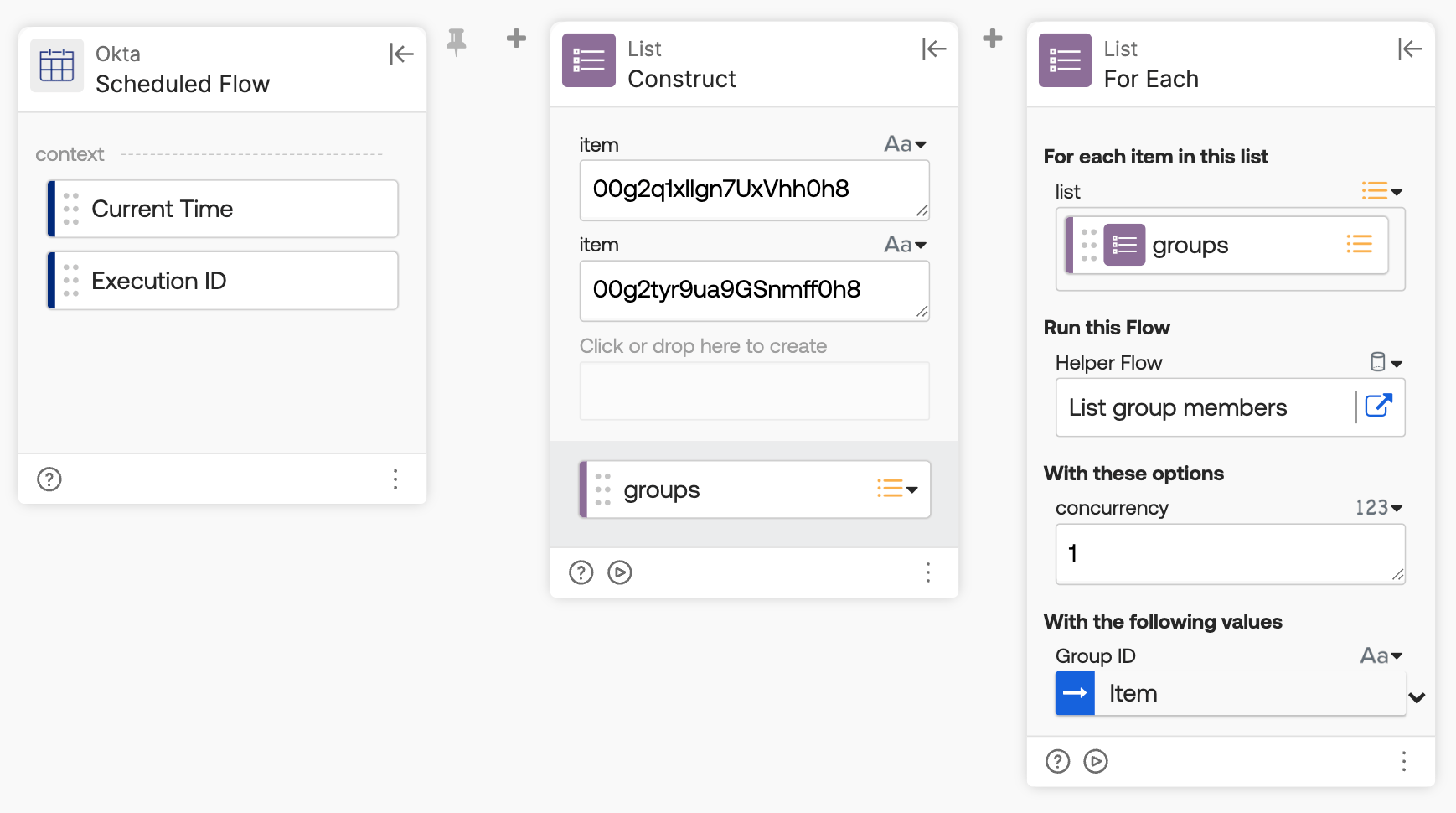
Creates a list of Okta group IDs to process.
The Okta-Scheduled Flow card triggers the flow, the List-Construct card builds the group ID list, and the List-For Each card calls the List group members helper flow for each ID, following these steps:
- The Okta-Scheduled Flow card triggers the flow on a recurring schedule.
- The List-Construct card creates a list of the two Okta group IDs to process.
- The List-For Each card calls the List group members helper flow for each group ID in the list.
What Does the List Group Members Flow Do?
The List group members flow lists all members of a group and streams each one to the removal helper flow.

This flow lists all members of a group and streams each one to the removal helper flow.
The Helper Flow card sets up the Group ID field, and the Okta-List Group Members card streams each member to the Remove user from group helper flow, following these steps:
- The Helper Flow card sets up the Group ID field, passed in from the List groups flow.
- The Okta-List Group Members card lists all group members using the streaming option, passing each member to the Remove user from group helper flow along with the Group ID.
Remove User from Group Flow
The Remove user from group flow removes a single user from the group.
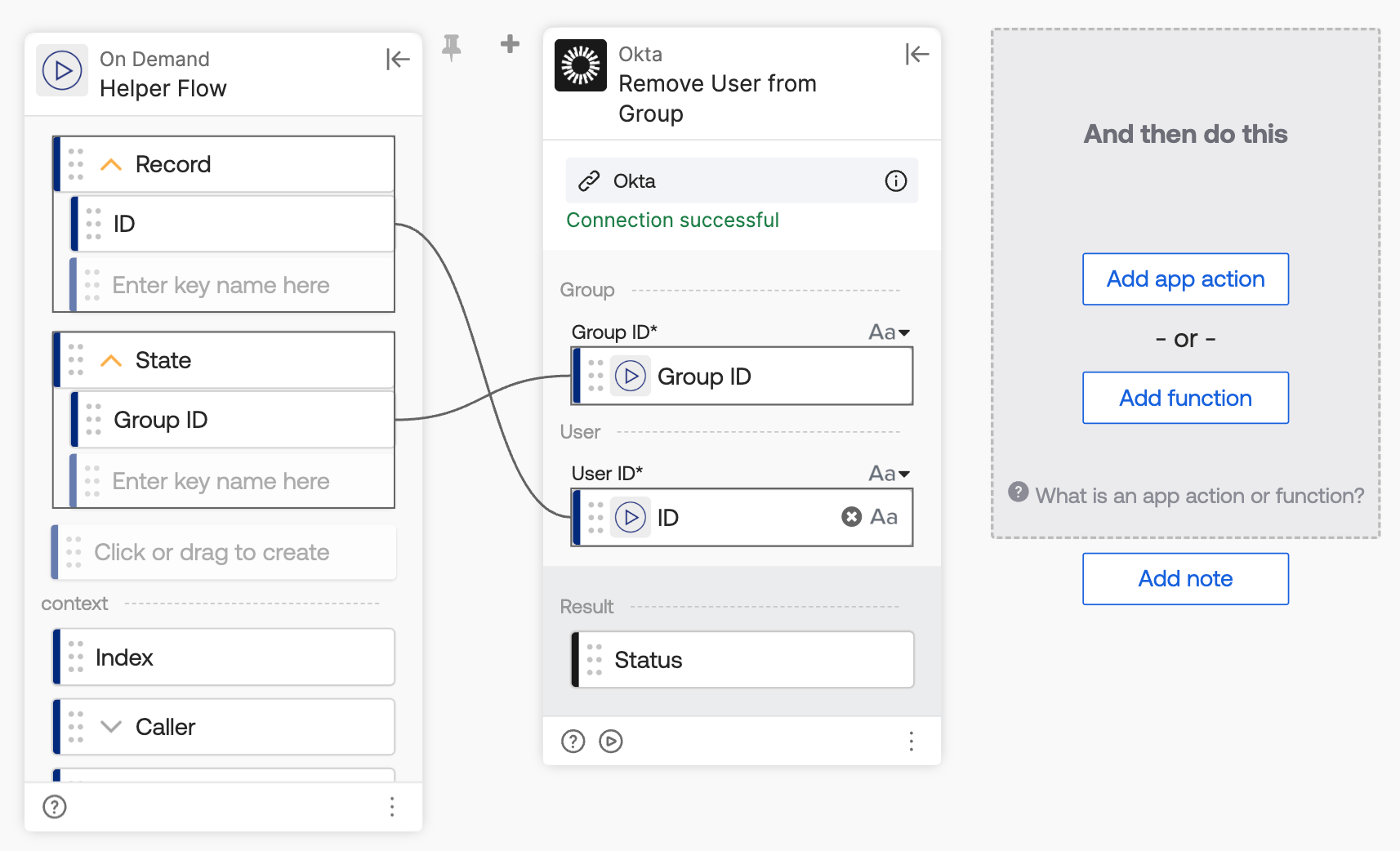
Remove a user from a group.
The Helper Flow card sets up the Record and State fields, and the Okta-Remove User from Group card removes each user using the User ID from Record and the Group ID from State, following these steps:
- Since the main flow uses streaming, the Helper Flow card sets up the Record and State fields.
- Record: holds the object streamed — the full user object. Setting up the ID key extracts the user's ID from that object.
- State: holds the extra field(s) configured on the streaming source card, separate from the record itself. It passes the Group ID into the helper flow.
- The Okta-Remove User from Group card removes the user from the group, using the User ID from Record and the Group ID from State.

