How to Bulk Delete Groups using Okta Workflows
Last Updated:
Okta Classic Engine
Okta Identity Engine
Workflows
Overview
This article will teach how to bulk delete groups using Okta Workflows.
Solution
The automation has two flows and one table:
- Groups to delete – table — populate this with the IDs of the groups you want to delete
- List groups to delete — the main flow that reads the table and kicks off deletion for each group
- Delete group — a helper flow that deletes one group at a time
Flow 1: List groups to delete
This flow reads all rows from the Groups to delete – table and calls the helper flow once for each group ID.
Flow 1: List groups to delete.
How the flow works
- The Table-Search Rows card reads all rows from the Groups to delete table and returns them as a list.
- The List-For Each card iterates over the list and calls the Delete group helper flow once per row, passing the Group ID.
Flow 2: Delete group
This helper flow is called by the List groups to delete flow for each row. It receives a Group ID and deletes that group from Okta.

Delete group flow.
How the flow works
- The Helper Flow card receives the Group ID from the calling flow.
- The Okta-Delete Group card deletes the group from your org.
Table: Group IDs to delete
The table with two group IDs to delete:
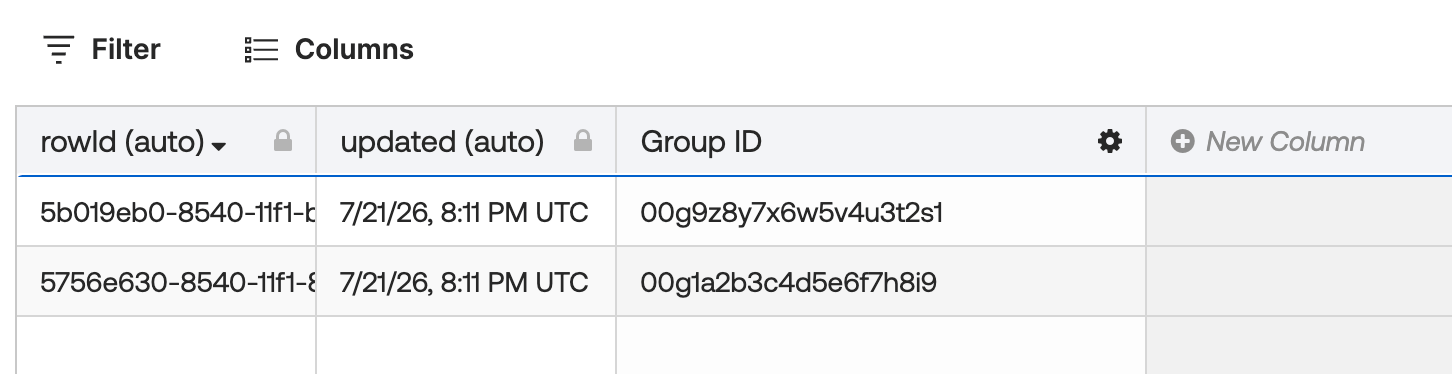
Group IDs to delete.
Download the flow
Before you run the flow
- The List-For Each card runs with a concurrency of 1, so groups are deleted one at a time. It keeps the flow predictable and avoids API rate limits.
- The Okta-Delete Group card works on groups of type
OKTA_GROUPorAPP_GROUPonly. - Groups managed by an app integration cannot be deleted this way.
Related References
- How to Delete All Rows in a Google Sheets Spreadsheet using Okta Workflows
- How to Delete Multiple Table Rows

