How to Read Okta Linked Object Values using Okta Workflows
Last Updated:
Okta Workflows linked objects store a relationship between two users as a real reference rather than a text attribute, making the relationship traversable in both directions. The Okta-Get Primary Linked Object Value and Okta-Get Associated Linked Object Values cards enable lookups from either the associated user or the primary user.
Required Scopes for the Linked Object Cards
The Okta-Get Primary Linked Object Value and Okta-Get Associated Linked Object Values cards read the linked object definitions in the Okta org, which requires two scopes on the Okta connection: okta.linkedObjects.read and okta.linkedObjects.manage. Grant both scopes on the Scopes tab of the Okta Workflows OAuth application in the Okta org, then re-authorize the Okta connection in the Workflows Console so the new scopes take effect. Without both scopes, the Options dropdown displays a "Failed to Load" error.
How Does a Linked Object Relationship Work?
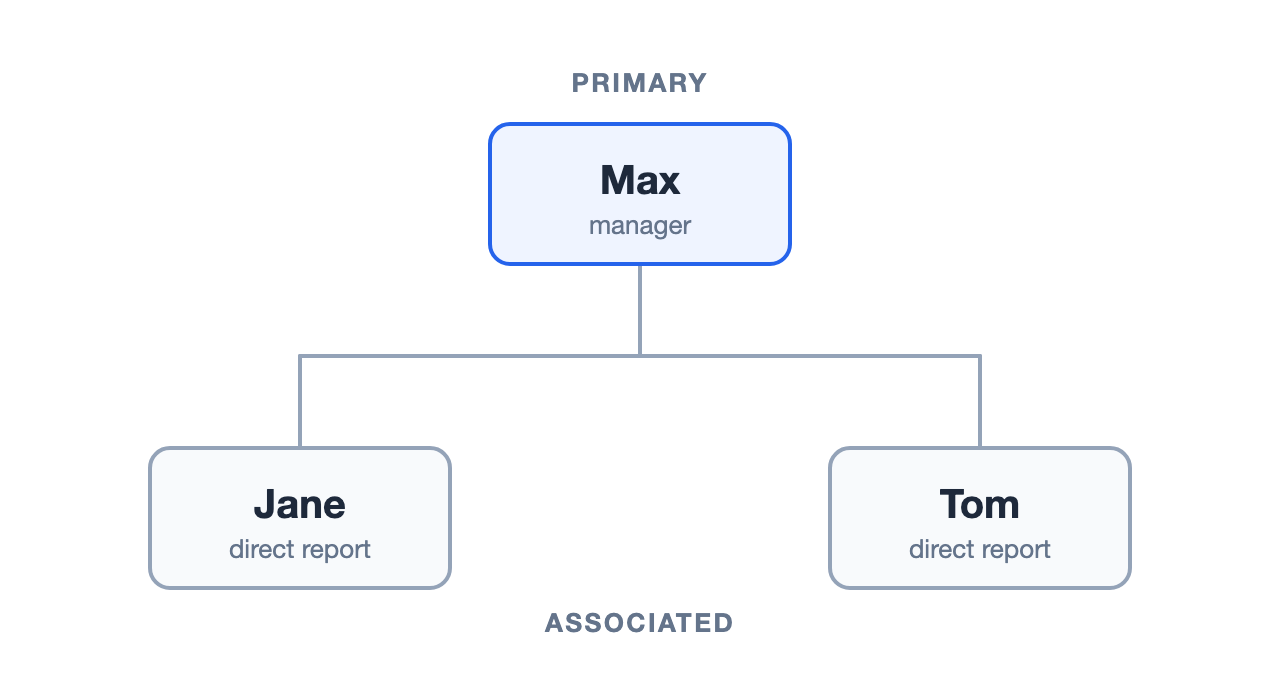
A linked object definition connects two users, and each side has a name. One side is the primary; the other is associated. For example, if Max manages Jane and Tom, Max is the primary and Jane and Tom are associated users. An associated user such as Jane or Tom has only one primary (Max).
How Does the Okta-Get Primary Linked Object Value Card Find a Primary User?
Starting from an associated user, the Okta-Get Primary Linked Object Value card returns that associated user's primary user. Before the card runs, expand Options, choose a Primary Name, and click Save to set the linked object definition the card reads.

Configure the Okta-Get Primary Linked Object Value card to return the primary user's ID, then use the Okta-Read User card to read the primary user's profile by following these steps:
- Configure the Okta-Get Primary Linked Object Value card to take an associated user's ID or login and return the primary user's User ID and User Self Link.
- Configure the Okta-Read User card to read the primary user's profile using that User ID.

NOTE: This example uses manager2 because the standard Okta user profile already has a manager attribute, and separate names keep the two clearly distinct.
Finding a Primary User's Associated Users with the Okta-Get Associated Linked Object Values Card
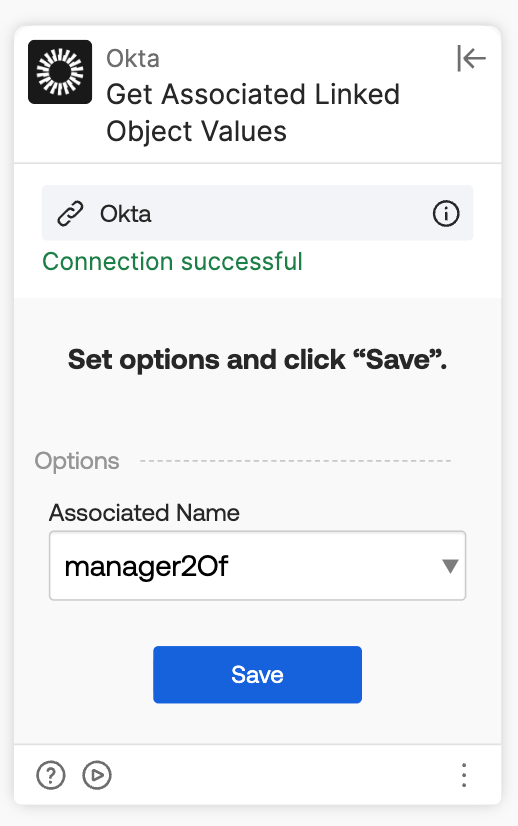
Going the other direction, the Okta-Get Associated Linked Object Values card takes a primary user and returns a list of associated users. Set Options the same way as the primary lookup, except this card asks for the Associated Name (such as manager2Of), since that is the side it returns.
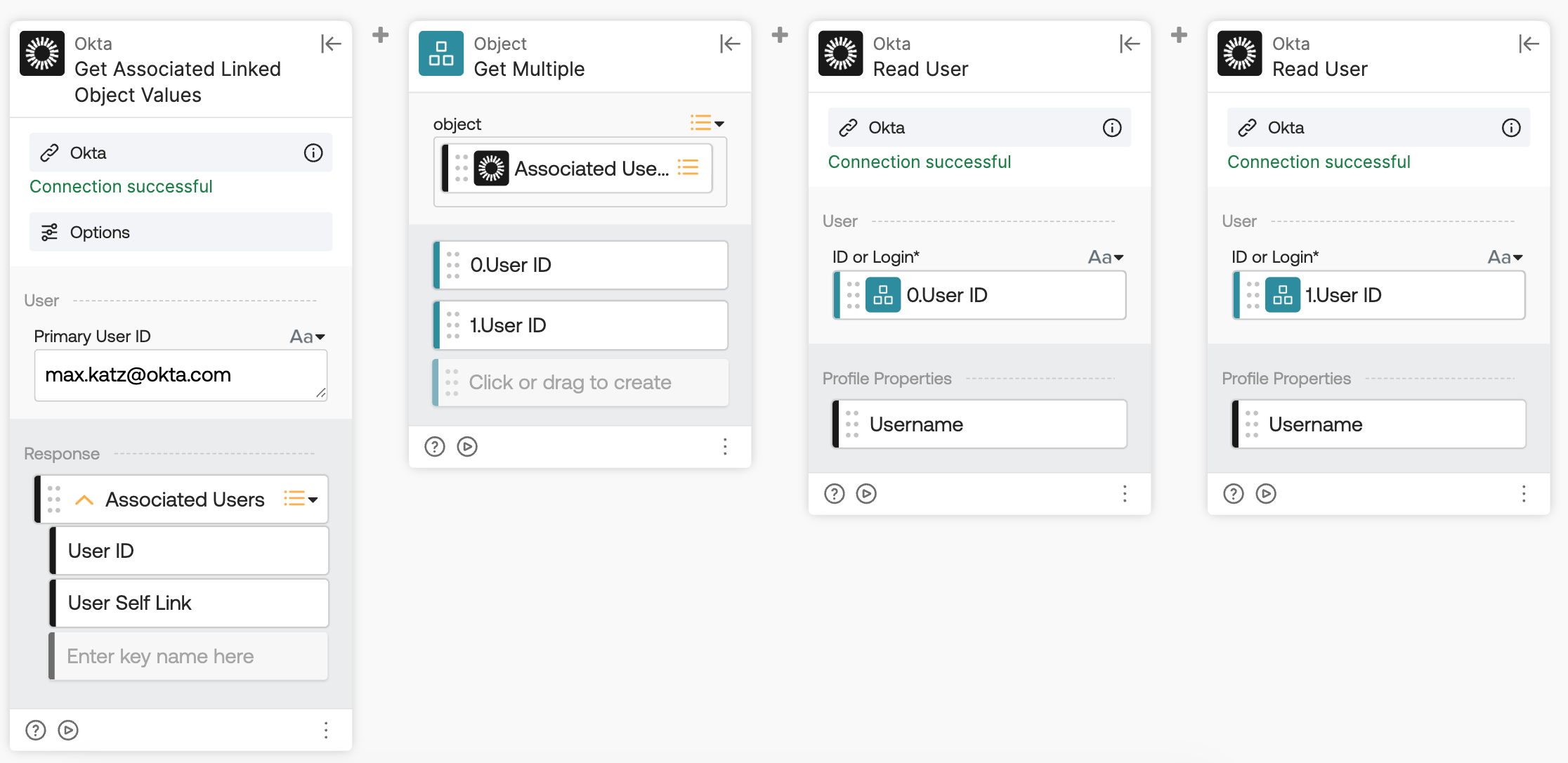
Configure the Okta-Get Associated Linked Object Values card to return the list of associated users, extract individual user IDs using the Object-Get Multiple card, and read each associated user's profile with the Okta-Read User card by following these steps:
- Configure the Okta-Get Associated Linked Object Values card to take the primary user's ID and return the Associated Users list, with each entry containing a User ID and User Self Link.
- Configure the Object-Get Multiple card to extract the individual user IDs from that response.
- Configure the Okta-Read User cards to read each associated user's profile to return their username.
Chained together, these two cards allow a flow to start from one user, find their manager, then find that manager's full set of direct reports.

