How to Change Brand Name Using API
Last Updated:
Administration
Okta Classic Engine
Okta Identity Engine
Overview
The goal of this knowledge is to clarify how to change the Brand Name using an API call in Postman.
Applies To
- API
- Postman
- Branding
Solution
- Install and configure Postman as documented in the following knowledge article: How to Integrate Postman with Okta.
- Import the Brands Collection into the environment.
- Configure a new token with the following scopes:
okta.brands.read okta.brands.manage. - Run the Get brands API using the new token to show all brands.
- Set BrandId to the id of the Brand that is to be renamed.
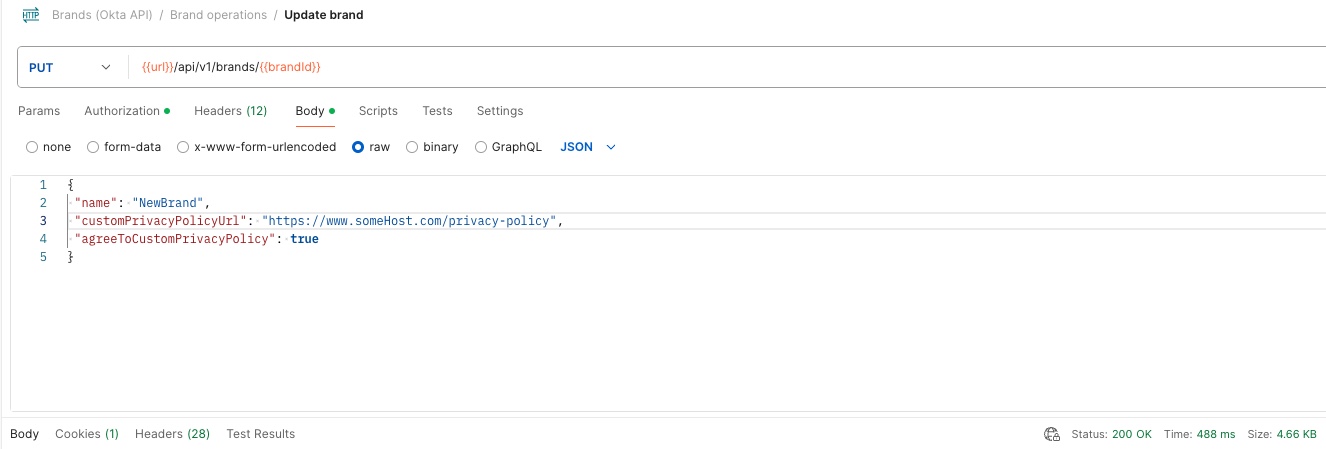
- Run Update brand API as shown below, ensuring to add the name attribute in the body and populating it with the appropriate value.
PUT {{url}}/api/v1/brands/{{brandId}}
Related References

