<iframe src="https://www.googletagmanager.com/ns.html?id=GTM-M74D8PB" height="0" width="0" style="display:none;visibility:hidden">
Loading
Skip to NavigationSkip to Main Content
0D50Z00008G7V3dSAFOkta Classic EngineOkta Integration NetworkAnswered2024-06-28T09:01:01.000Z2017-03-21T15:27:53.000Z2020-11-14T13:40:12.000Z
  • alan.goho1.397339200270232E12 (Enterprise Services Architecture)

    Hi Mat,

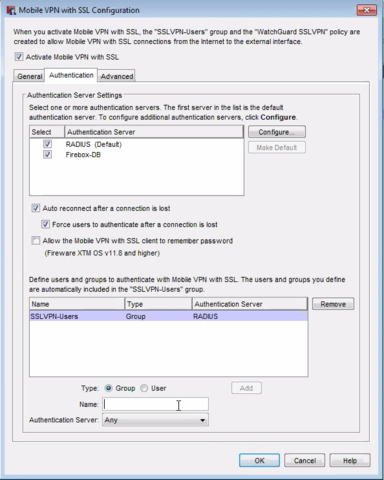
          It looks like Firebox supports RADIUS based authentication (http://www.watchguard.com/help/docs/wsm/xtm_11/en-us/content/en-us/authentication/authentication_server_third_party_c.html), and so does Okta.  You can use Okta's RADIUS agent to provide authentication for Firebox. 


    Okta's RADIUS agent is a RADIUS server, and the Firebox device will act like a RADIUS client.  The Firebox device will call the Okta agent for authenticating users, and the Okta agent will forward requests to your Okta Org.  Setup from the Okta side is very straight forward (see doc below), and the setup on the Firebox side look straigh foward too (again, see doc below).

    You'll want to perform full testing, of course, to ensure your use cases are all met.


    Here's a link for the Firebox RADIUS configuration: http://www.watchguard.com/help/docs/wsm/xtm_11/en-us/content/en-us/authentication/radius_server_auth_about_c.html


    And here's link to the Okta RADIUS agent configuration: https://help.okta.com/en/prod/Content/Topics/Directory/Agent_Installing_the_Okta_Radius_Agent.htm


    Good luck!  Hope that helps you!


    Alan
    Expand Post
  • Okta could only support Watchguard VPN for the PAP protocol use cases, i.e. Watchguard VPN with IPsec or SSL authentication - as the other Watchguard use case(s) such as LT2P tunnelling would use CHAP which isn't supported ...

    as per

    0EM2A000000XtSJ
    Expand Post
  • Adding more detail to thi support article - after recently successfully configuring Watchguard VPN with OKta Enhanced Radius agent I can now state the following:


    Watchguard VPN requires Radius group support and user authentication attempts fail with a generic "reinstall VPN  / downloadexecutable" message of the Okta Radius Agent does not return the same group name that Watchguard expects


    ... with this statement in mind the following is a working Okra Enhanced Radius Agent configuration: 
    1. Okta Radius OAN app with primary auth enabled
    2. AD or Okta group assigned (that matches the Watchguard group name exactly)
    3. 0EM2A000000Xu4n
    4. 0EM2A000000Xu5C
    5. Okta MFA (Radius OAN) 'app only' or MFA 'off network' policy assigned
    6. Ensure ragent.ssl.pinning = false (in Radius agent config xml file)
     Test the Client access with Watchguard VPN and Okta Verify


    0EM2A000000Xu4s 
    • Success
     0EM2A000000Xu5H 
    • Generic failure message
     

    0EM2A000000Xu5M


    Expand Post
  • I configured the Radius Agent 2.5.0 and the Radius Generic App. The 2FA with WatchGuard and Okta Verify is working. The only problem I have for now is that my SSL VPN connection disconnect after 90 sec ad I really don't know where to search.

    If I authenticatie without the Radius my SSL VPN connection stays active.


    Anyone got a suggestion for me ?
    Expand Post
  • Nouredinev.55568 (Fastbyte)

    Hi Rudy,


    We've connected okta in the past with watchguard by using freeradius as proxy.

    We had the same problem (only 60 sec), issue was there is a session-timeout option, this option is been used so that after 60 seconds the login stops if you dont fill in a username/pw/mfa. this settings was pushed to the Watchguard also, We had to add an option to change the session-timeout to 0 after the login, and that did the trick.

    I cannot see this option in the generic radius app. i did not check the new raduis agent if there is an option for this.
    Expand Post
  • Nouredinev.55568 (Fastbyte)

    i've asked my colleage and we pushed 'Session-Timeout := "0",' besides the filter-id to the watchguard.

    But it looks like the generic radius app cannot do this.
  • Nouredinev.55568 (Fastbyte)

    Add ragent.mfa.timeout.seconds = 28800 to your config.properties will give you a session timeout of 8 hours.

    put a 0 here (unlimited) wil not work, 0 is excluded tot being accepted by tha okta radius agent.


    This is not the properly way of doing this but a good workaround, this is officially the login timeout before the mfa is not accepted anymore. Only Okta has his own 2 minutes timeout before a request will be rejected.


    i think there should be an ragent.mfa.session.seconds/minutes/hours function to make this officially with an 0 (unlimited) allow.


    Expand Post
    • ae4zz (ae4zz)

      Bona Fide workaround... after adding Add ragent.mfa.timeout.seconds = 28800 to your config.properties the MFA worked perfectly.

      I passed this on to Watchguard so they wouldn't give anyone the answer, "we don't integrate with Okta."

    • ae4zz (ae4zz)

      Is there a way to set the timeout without having to uninstall the agent? When i made the change, Okta said i had to uninstall the agent, change the setting and reinstall the agent. Wondering if I can do it on the fly?


  • Hi Nouredine,


    we have just tested (ragent.mfa.timeout.seconds = 28800) change to the Okta Radius server and it looks like the Watchguard successfully mantain the VPN session for more than ~90 secs so great stuff Nouredine


    It seems that some Radius Client's (in this case Watchguard) interpret the Radius protocol in this regard to have a very low session lifetime for session or MFA session state


    Ed
    Expand Post
10 of 13
This question is closed.
Loading
Firebox VPN authentication via Okta