How to Create Push Groups for Active Directory in Okta
Last Updated:
Okta Classic Engine
Directories
Okta Identity Engine
Overview
Creating a Push Group in an Active Directory (AD) integration allows Okta to manage and provision groups directly to the on-premises directory. Administrators configure this by selecting an existing Okta group and mapping it to a new or existing Organizational Unit (OU) within the Active Directory integration settings.
Applies To
- Okta Identity Engine (OIE)
- Okta Classic Engine
- Directories
- Active Directory (AD)
- Push Groups
Solution
How is a Push Group created for Active Directory?
Create or select an existing Okta group, navigate to the Active Directory integration settings, and configure the group push mapping to the desired Organizational Unit as detailed in either the video demonstration or the written instructions.
- Create a new Okta group or use an existing Okta group. For more information, review how to create a group.
- Go to Admin > Directory > Directory Integrations > [AD] > Push Groups.
- Select + Push Groups, and then select Find groups by name.
- Enter the name of the Okta group that will serve as the push group source.
- Select the Organization Unity (OU) to push the Okta Group.
- If an AD Group of the same name as the Okta group already exists in AD, selecting the OU locates the group.
- If Okta does not find the group, click Close to stop the process, and then click Refresh App Groups to retrieve an updated list of AD groups. Repeat steps 3 through 5.
- When the group is found, click Save.
- If an AD Group of the same name as the Okta group already exists in AD, selecting the OU locates the group.
-
- If using an existing AD group with a different name, click Link Group and enter the name of the group to use. Select the group from the search list and click Save.
- NOTE: This changes the group name in AD to match the Okta group.
- If using an existing AD group with a different name, click Link Group and enter the name of the group to use. Select the group from the search list and click Save.
-
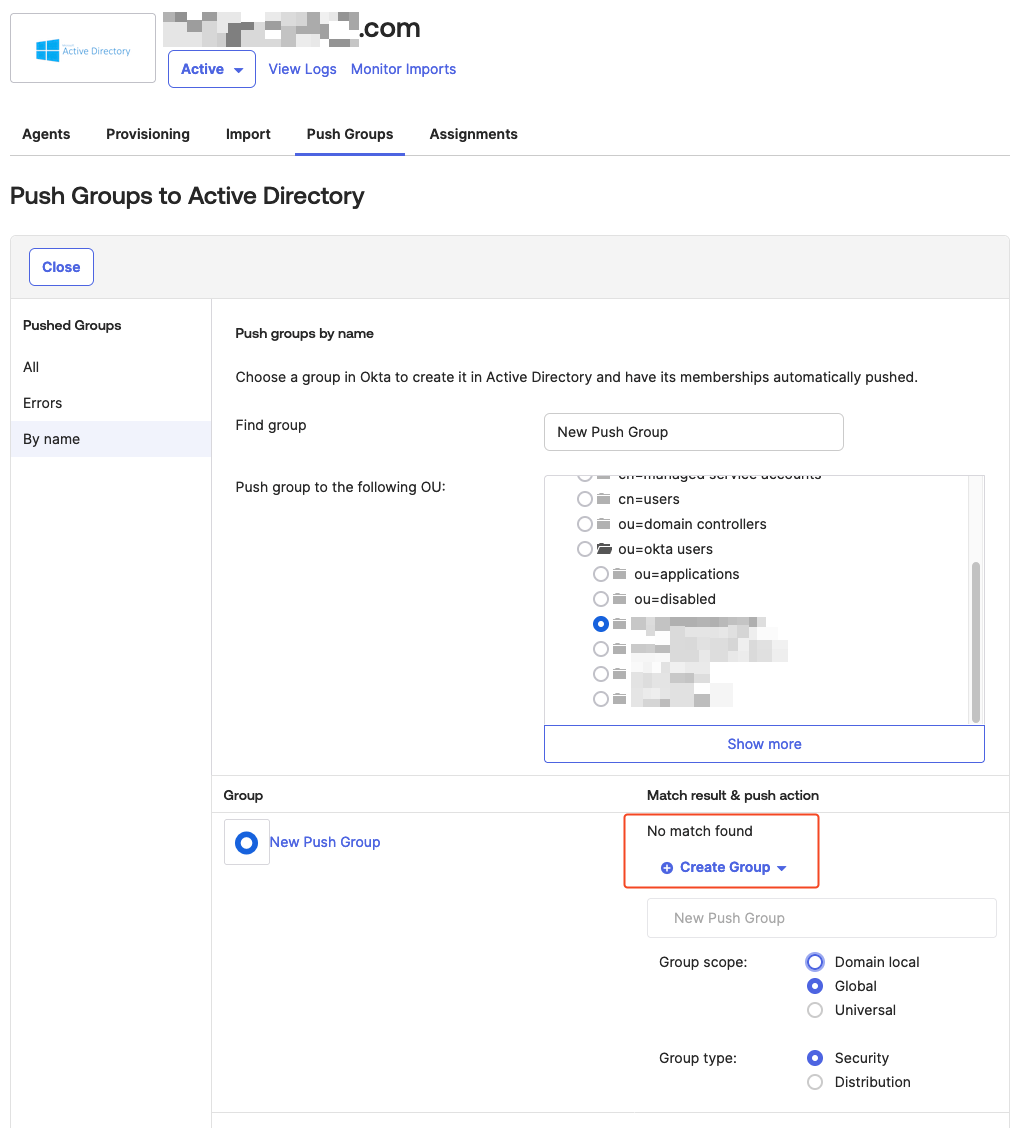
- If an AD group does not yet exist, select the OU where Okta will place the new AD group.
- No match will be found. Keep Create Group selected, choose the Group scope and type, and select Save.
- If an AD group does not yet exist, select the OU where Okta will place the new AD group.